
Clearinghouse Terminology Guide for Medical Coders
Clearinghouses decide whether your claim ever reaches the payer, and most coders do not realize how many “denials” are actually front end rejections that never got adjudicated. If you cannot read clearinghouse language, you will waste hours fixing the wrong thing, miss timely filing windows, and get stuck in rework loops that destroy productivity. This guide turns clearinghouse terminology into a practical playbook. You will learn what each message means, where it appears, what triggers it, and the fastest corrective action that prevents repeat failures.
1) Clearinghouse Terminology, Explained Like a Workflow (Not a Dictionary)
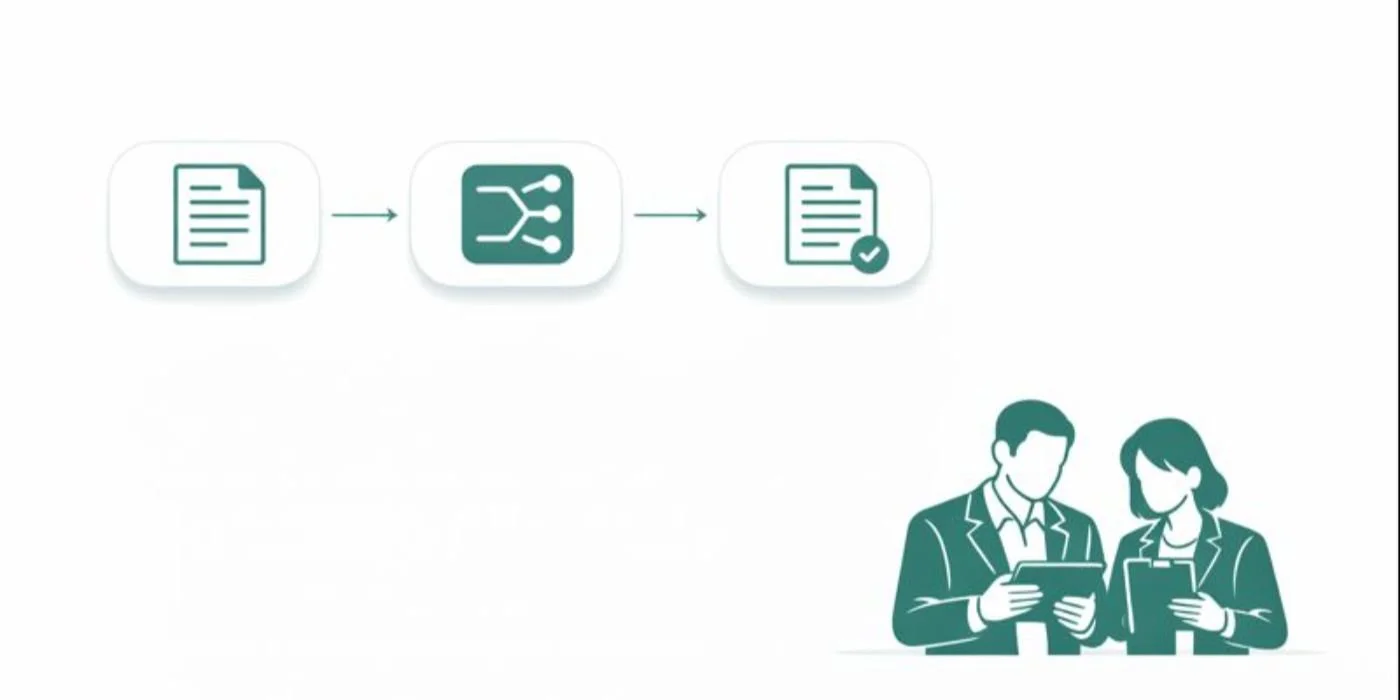
A clearinghouse is not just a pass through vendor. It is an EDI translation layer, a rules engine, and a traffic controller between your practice management system and the payer. It converts claims to standardized transaction formats, runs edits, routes claims to correct payer endpoints, and returns acknowledgments, rejections, and remittance files. When this layer fails, coders often get blamed for “bad coding” even when the real issue is claim construction or EDI compliance.
If you want fewer rejections and cleaner reporting, you must separate four concepts clearly:
1) Claim creation vs claim submission
Claim creation is the coding output plus charge entry and claim form population. Submission is the file that leaves your system. The moment a claim becomes an EDI file, small formatting errors can break it. To understand the claim build language coders should know, keep AMBCI’s medical claims submission terminology guide and electronic claims processing terms in your internal reference stack.
2) Rejection vs denial
A rejection means the claim did not pass the clearinghouse or payer front end edits, so it never got adjudicated. A denial means the payer adjudicated, then refused payment based on coverage, policy, medical necessity, bundling, or benefits. Coders who confuse these waste time writing appeal narratives for claims that just need a corrected field. Anchor the difference by reviewing AMBCI’s Explanation of Benefits (EOB) guide and pairing it with the accounts receivable reference.
3) Acceptance acknowledgments vs claim status
A 999 or TA1 can mean the file structure was accepted, but that does not mean each claim was accepted. Then a 277CA can accept some claims and reject others. If your team only checks “file accepted,” you will discover rejections after timely filing deadlines. This is why your clearinghouse terms must connect to the tracking logic discussed in AMBCI’s electronic claims processing glossary and your posting logic in the EOB guide.
4) Edits, scrubs, and payer policies
Clearinghouse edits are not the same as payer coverage policies. Edits are usually technical, structural, demographic, or formatting rules. Payer policies involve medical necessity, coding rules, and coverage determinations. For medical necessity language, coders should always reference AMBCI’s medical necessity criteria guide and the coding audit terms dictionary so your fix is defensible if audited.
The professional coder advantage is knowing which bucket the issue belongs to in the first two minutes. If you have to “guess,” you will repeat the same errors forever.
2) The Clearinghouse Transaction Chain Coders Must Understand
Most coding teams only see the last symptom, a denial or a short payment. Professional teams read the entire transaction chain and catch failure earlier.
Stage 1: Claim leaves your system as an EDI file
The claim moves from data entry into standardized segments and loops. A single missing field can invalidate the entire file or only certain claims, depending on the error. This is why coders should understand claim construction language from AMBCI’s claims submission terminology guide and the EDI flow language in the electronic claims processing terms guide.
Coder reality: if your diagnosis pointers are correct but the rendering provider NPI is missing, your perfect coding is irrelevant. You will be rejected and your productivity will look bad even though the error was structural.
Stage 2: Acknowledgment that the file is structurally valid
A TA1 and a 999 can indicate the file interchange and transaction set are acceptable. That does not mean the claim lines are payable. This difference is why teams get blindsided by “accepted” claims that still do not reach adjudication.
Fix mindset: do not stop at “accepted.” You must confirm claim level acceptance. This is where claim history and audit trail discipline matters. Use AMBCI’s audit trails explainer to standardize how you save evidence of transmissions and acknowledgment timestamps.
Stage 3: Claim level acceptance or rejection
This is where 277CA responses matter. A claim can be rejected for missing subscriber ID, invalid payer ID mapping, invalid diagnosis format, invalid taxonomy, or an edit that flags incomplete data. Most of these are not appeals. They are correction and resubmission.
Coder reality: your team loses revenue when rejections are treated as denials because appeals burn days. Timely filing does not care about your internal confusion. Your process must.
Stage 4: Adjudication and remittance
Once the payer adjudicates, you get an ERA and EOB. Now you see CARCs and remark codes, which are adjudication language. For reading remittances correctly, use AMBCI’s EOB guide and the A R workflow language in the accounts receivable reference.
Coder reality: if you jump straight to appealing every adjustment, you will create compliance risk and drown your team. You need proper classification and documentation standards, supported by AMBCI’s coding audit terms dictionary and quality assurance guide.
3) The Most Expensive Clearinghouse Messages and What They Actually Mean
Clearinghouse terminology becomes powerful when you attach it to consequences. These are the messages and patterns that destroy cash flow.
“Accepted” but not delivered to payer
This happens when the clearinghouse accepted your file but could not route it correctly. Root causes include payer ID mapping issues, enrollment or trading partner mismatches, or payer endpoint configuration failures.
Professional fix:
verify payer ID and endpoint mapping
verify trading partner enrollment status
document the clearinghouse acceptance and the payer receipt status
escalate with evidence, not opinions
Your evidence pack should include transaction timestamps and claim history logs, supported by the audit discipline in AMBCI’s audit trails article and the system language in the coding software terminology guide.
“Duplicate claim” warnings that cause permanent delays
Duplicate detection is common when teams resubmit instead of correcting claim frequency or sending replacements. This creates stuck claims and delayed adjudication.
Professional fix:
Stop blind resubmission. Use a structured correction workflow, and document whether the action is original, replacement, or void, using the claim submission language in AMBCI’s claims submission terminology guide. Then reconcile duplicates using A R logic from the accounts receivable reference.
“Invalid diagnosis” issues that are not about clinical coding
Clearinghouse edits can reject diagnoses due to formatting, invalid code sets, missing specificity, or mismatched code version rules. Coders often waste time re auditing documentation when the real issue is data standard, not clinical accuracy.
Professional fix:
Confirm code set rules first, then confirm specificity second, then confirm linkage third. If your organization uses ICD 11 content heavily, keep AMBCI references open such as the ICD 11 official coding guidelines guide and specialty dictionaries like the ICD 11 mental health dictionary.
“Missing NPI” and “taxonomy mismatch” failures
These are structural, not coding errors, but coders are often pulled into fixing them because they surface in claim edits. If you do not have a process to validate provider enrollment data, you will keep repeating this.
Professional fix:
Build a provider data validation step before claims release, then measure rejection rate over time. Use AMBCI’s electronic claims processing terms and connect operational metrics to denial reduction using AMBCI’s revenue cycle efficiency report.
“Documentation required” messages that are actually workflow failures
When attachments or medical records are requested, teams often scramble without a standard packet. This leads to incomplete submissions and repeated requests.
Professional fix:
Create standardized documentation packets by service type and maintain proof of submission. Pair documentation discipline with medical necessity language from AMBCI’s medical necessity criteria guide and audit defense language in AMBCI’s financial audits guide.
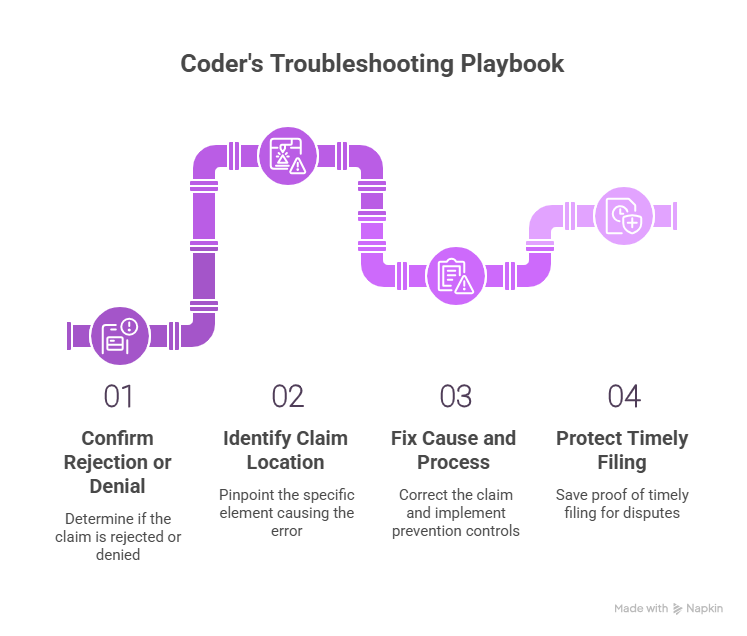
4) A Coder’s Clearinghouse Troubleshooting Playbook (Fast, Repeatable, Audit Safe)
Coders add the most value when they stop the same failure from happening again. That requires a standard troubleshooting order.
Step 1: Confirm whether it is a rejection or a denial
If you have an EOB or ERA with adjustments, it is adjudicated. If you only have an edit report or acknowledgment failure, it is a rejection. Use AMBCI’s EOB guide to interpret adjudication and the electronic claims processing reference to interpret front end processing.
Why this matters: a rejected claim needs correction and resubmission. A denied claim needs policy proof, documentation, or appeal strategy, supported by AMBCI’s audit terms dictionary.
Step 2: Identify the claim location of the error
Every clearinghouse message points to a claim element. Train your eye to spot whether the issue is:
patient data
subscriber data
provider and billing data
diagnosis and procedure formatting
service line details like units, dates, modifiers
authorization and referral indicators
attachments and documentation indicators
This is where shared vocabulary reduces rework. Use AMBCI’s coding software terminology guide and claims submission terminology to align coders and billers.
Step 3: Fix the cause, then fix the process
Do not only correct the claim. Also implement a prevention control. Examples:
If NPI issues recur, add a provider data validation step.
If duplicates recur, enforce corrected claim frequency rules.
If diagnosis format issues recur, create a code set validation rule.
If missing documentation issues recur, build standard packets.
To measure whether your fixes work, connect them to operational reporting using AMBCI’s coding productivity benchmarks report and the revenue cycle efficiency metrics report.
Step 4: Protect timely filing with proof
Timely filing disputes are won with proof, not memory. Save:
clearinghouse acceptance timestamps
rejection timestamps and reasons
correction submission timestamps
payer receipt confirmations when available
This is exactly why coders should understand audit trail concepts from AMBCI’s audit trails explainer and financial risk concepts from AMBCI’s financial audits guide.
5) Clearinghouse Knowledge That Makes You Better at Denials, Compliance, and Career Growth
Clearinghouse terminology is not just billing operations. It changes how you code, how you document, and how you avoid compliance mistakes.
Better denial prevention starts at the front end
Many denial patterns begin as repeated rejections. When you reduce rejections, you shorten days in A R and improve clean claim rate. That is why clearinghouse literacy is directly connected to denial analytics and remittance intelligence.
To connect adjudication patterns to claims processing, pair your clearinghouse workflow with AMBCI’s CARC guide and your remittance understanding with the EOB guide.
Compliance risk increases when teams chase payment blindly
When claims are stuck, leadership pressure rises, and teams start making risky choices. That is when incorrect code changes, unsupported modifiers, or documentation shortcuts appear. Those behaviors create audit exposure.
Coders should ground their response strategy in AMBCI’s compliance oriented resources, including the FWA terms guide and the billing compliance violations and penalties report. These references keep your fixes safe, especially when the organization is stressed.
Documentation quality becomes measurable when tied to rejection and denial reasons
Coders often feel documentation problems are vague. They are not vague when you connect them to outcomes. If documentation requests and medical necessity denials rise, that is a measurable signal. That is how you justify CDI training and provider education.
Use AMBCI’s clinical documentation improvement terms dictionary and the medical necessity criteria guide to turn vague complaints into actionable requirements.
Clearinghouse literacy supports remote and advanced roles
Organizations increasingly value coders who can reduce denials, improve clean claim rate, and communicate with revenue cycle leadership. That is how you move from production coding into QA, audit support, denial analytics, and compliance roles.
To build career language around quality and audit readiness, keep AMBCI’s quality assurance guide and the audit terms dictionary as core references, then connect operational outcomes using the coding error rates report.
6) FAQs: Clearinghouse Terminology Guide for Medical Coders
-
A rejection happens before adjudication. It means the claim failed a clearinghouse or payer gateway edit, so it did not enter the payer processing system as a payable claim. A denial happens after adjudication, meaning the payer processed the claim and refused payment based on coverage, medical necessity, policy, or coding rules. The fastest way to tell is whether you have an ERA or EOB. Use AMBCI’s electronic claims processing terms for rejection language and AMBCI’s EOB guide for denial and remittance language.
-
No. A file level acceptance can only confirm structural acceptance of the transaction set. Individual claims can still be rejected later at the claim level, typically shown in claim acknowledgment or claim status responses. The professional workflow is to check file acceptance, then check claim level acceptance, then confirm payer receipt. To build this discipline, align your internal process language with AMBCI’s electronic claims processing glossary and save evidence using AMBCI’s audit trails explainer.
-
Coders should prioritize rejection, denial, scrubber edits, clean claim, payer ID routing, corrected claim frequency, and attachment indicators. These terms map directly to whether a claim moves forward or gets stuck. Start with the terms that stop claims from reaching adjudication, because those create silent revenue loss. Build your shared vocabulary using AMBCI’s claims submission terminology guide and the coding software terminology guide.
-
Duplicate detection can be triggered by resubmitting without using the correct corrected claim pathway, resending after a delay when the payer already has the claim, or billing similar lines that match duplicate logic. It is not always fraud or double billing, but it is always a workflow problem. Fix it by confirming claim history, using correct corrected claim frequency indicators, and documenting the action type. Tie the operational response to AMBCI’s claims submission terminology and measure its effect through AMBCI’s revenue cycle efficiency report.
-
Clearinghouse edits are primarily technical and structural. Medical necessity denials are policy based and documentation based. The confusion happens because both generate “failure messages,” but the corrective action is different. For edits, fix claim fields and resubmit. For medical necessity, strengthen documentation proof and appeal when appropriate. Coders should use AMBCI’s medical necessity criteria guide and build audit ready responses using AMBCI’s coding audit terms dictionary.
-
Include clearinghouse acceptance timestamps, rejection timestamps and reasons, correction submission timestamps, and any evidence of payer receipt or portal confirmation. Also include internal screenshots of claim history and transmission logs. This proof pack protects your organization when a payer denies for timely filing after repeated rejections. Standardize what you save using AMBCI’s audit trails explainer and reinforce formal audit readiness with AMBCI’s financial audits guide.
-
Do not add review to every chart. Add targeted pre submission stops based on recurring rejection reasons. Examples include a provider data validation step for NPI and taxonomy, a payer mapping check for frequent routing failures, and a corrected claim frequency rule to prevent duplicates. Then track rejection reasons weekly, not monthly, so you can stop trends early. Connect operational improvements to performance using AMBCI’s coding productivity benchmarks and validate quality improvements using AMBCI’s quality assurance guide.
-
The most dangerous mistake is treating payment delays as permission to change codes or modifiers without documentation support. When teams are pressured, they may “adjust the claim to get it paid,” which can cross into noncompliance fast. The safe approach is to fix structural errors correctly, then address policy denials with documentation proof and proper appeal logic. Ground your actions using AMBCI’s FWA terms guide and the billing compliance violations and penalties report.
