
Understanding Medical Coding Automation Terms
Medical coding automation can either tighten your revenue cycle or quietly scale your mistakes. The difference is whether you understand the terms vendors use, what those terms translate to inside claims, and where automation fails in real life (documentation gaps, mapping breaks, edit logic, and audit defensibility). This guide turns “automation buzzwords” into billing-relevant meaning—so you can spot black-box risk, build safer workflows, and protect accuracy while still gaining speed. If you’re responsible for coding quality, denials, compliance, or productivity targets, these are the terms you need to control.
1) Why Coding Automation Changes Risk and Revenue
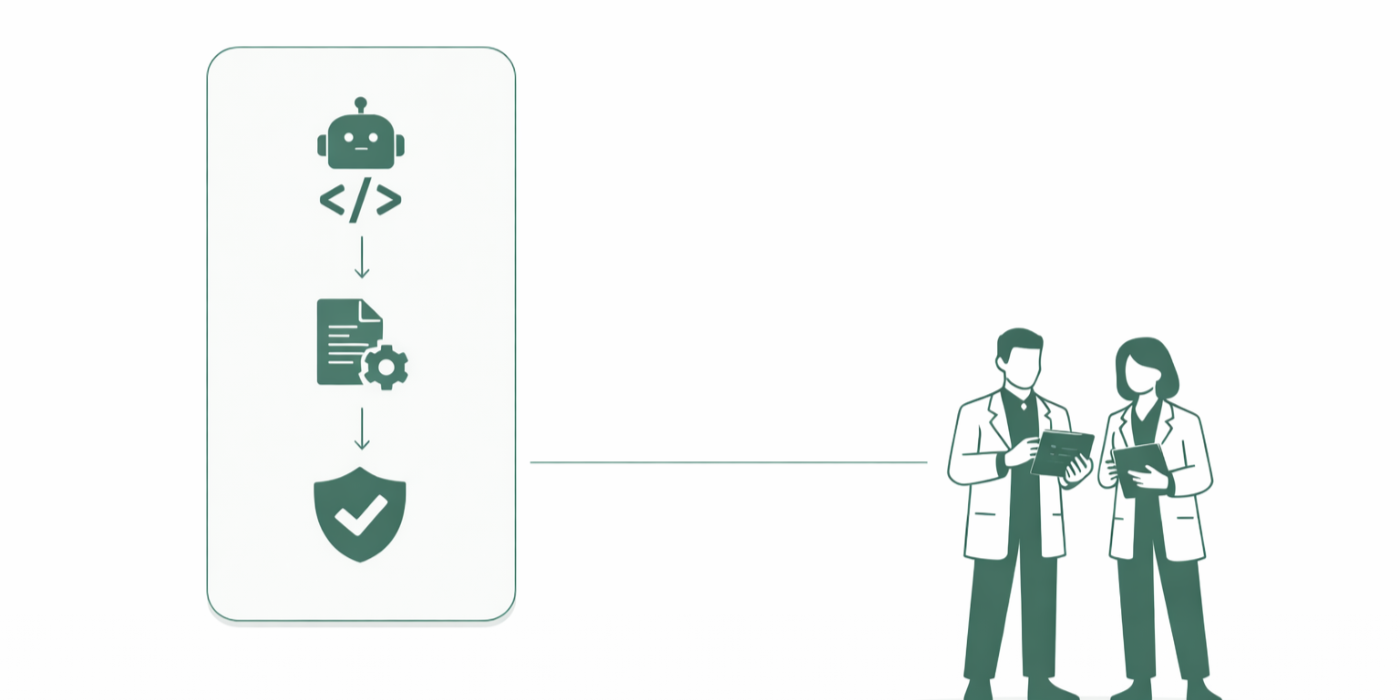
Automation doesn’t just “make coding faster.” It moves decision-making upstream—often before a human sees the full chart—and that changes how errors happen. In manual workflows, problems typically show up as individual coder mistakes. In automated workflows, problems show up as systematic patterns: the same wrong code applied at scale, the same missing-documentation assumption repeated across providers, the same edit logic misfiring across a specialty. That’s why automation is inseparable from revenue leakage and recoupment risk—your error rate can stay “small,” but your dollar impact becomes huge because it multiplies. If you haven’t built controls around automation, you’re essentially running a high-speed conveyor belt without a quality gate. (If you want the exact language many payers use when they take money back, live in claim adjustment reason codes (CARCs) and remittance remark codes (RARCs).)
The next big shift: automation doesn’t fail “randomly.” It fails at predictable friction points—medical necessity, documentation quality, and edit logic. If your system codes from weak notes, you don’t just get denials; you get a documentation credibility problem. Your automation may output a code, but if the chart can’t defend it, the output is a liability. That’s why teams serious about automation treat documentation as an input pipeline and work closely with CDI workflows and provider education (use CDI terms dictionary and Medicare documentation requirements to align the language across coding, compliance, and clinical teams).
Finally, automation changes accountability. When an auditor asks “why did you code this,” the right answer cannot be “the tool said so.” You need traceability: what data fields were used, what rule fired, what confidence threshold was applied, what human review occurred, and what evidence was stored. If your vendor can’t support audit-grade defensibility, you’re automating risk, not removing it (build your governance using medical coding regulatory compliance and tie it to measurable performance using RCM metrics & KPIs).
Medical Coding Automation Terms Map: What They Mean and What You Must Do (30+ Rows)
| Term | What It Means | Where It Shows Up | Best-Practice Action |
|---|---|---|---|
| Encoder | Software that suggests codes based on documentation and coding logic | Coder workflow, edit checks, code selection | Validate local rules, keep version control, audit sample outputs monthly |
| CAC (Computer-Assisted Coding) | Tool that proposes codes; human usually confirms | Inpatient/profee coding queues | Require human-in-the-loop for high-risk codes and modifiers |
| Autocoding | System posts codes with limited or no human review | High-volume services, routine visits | Define “safe list” scopes; block high-dollar, high-variance scenarios |
| Rules Engine | If/then logic applying coding and billing rules | Edits, modifier checks, coverage rules | Maintain rule library governance: owner, date, rationale, test cases |
| NLP | Extracts meaning from clinical text | Problem lists, procedures, diagnoses | Track false positives/negatives by provider and note template |
| LLM | Model that can summarize/interpret language at scale | Chart abstraction, code suggestion rationale | Require explainability + evidence links; prohibit unsupported assumptions |
| Prompt | Instruction used to guide LLM output | Automation workflows using AI | Lock prompts + change-control; log revisions like policy updates |
| Confidence Score | Probability-like value indicating certainty | AI code suggestions, abstraction | Set thresholds: low confidence -> manual review; monitor drift |
| Human-in-the-Loop | Human review step to confirm or correct outputs | Exceptions, high-risk charts | Define mandatory review triggers (dollars, modifiers, payers, diagnoses) |
| Audit Trail | Record of what happened and why | Compliance reviews, disputes, audits | Store evidence references, rules fired, user actions, timestamps |
| Explainability | Ability to justify outputs with understandable reasons | Audit response, internal QA | Require “evidence-backed rationale,” not generic summaries |
| Gold Standard Set | Curated, validated charts used to test performance | Model/rules testing | Refresh quarterly; include denied/appealed cases and payer mix |
| Inter-Rater Reliability | Agreement level among human coders on the same chart | Training/QA benchmarking | Fix human variance before blaming automation variance |
| Edits (Prebill) | Automated checks that stop or flag claims | Claim scrubber, clearinghouse | Map each edit to root cause + owner; track recurring offenders |
| NCCI | Bundling/edit logic that restricts code pairs | Procedure pairing, modifier rules | Maintain modifier education + exception documentation standards |
| MUE | Maximum units allowed for a service | Units billing, line-item checks | Automate unit caps + require documentation if overriding |
| LCD/NCD | Coverage policies that define medical necessity | Denials, prior auth, payer disputes | Embed coverage checks early; align dx-pointer logic to policy |
| Medical Necessity Logic | Rules tying services to required diagnoses and documentation | Scrubbers, utilization review | Build “policy-to-fields” checklist for each high-denial service |
| Modifier Automation | Logic suggesting or validating modifiers | Profee coding, procedure edits | Hard-stop risky modifiers; demand note support before apply |
| RPA (Robotic Process Automation) | Automates clicks/steps across systems | Charge entry, status checks, routing | Use for workflow steps, not clinical interpretation |
| API Integration | System-to-system data transfer | EHR ↔ encoder ↔ billing | Monitor mapping failures; alert on missing fields and changed vocab |
| Mapping | How data fields/values align between systems | Dx/procedure picklists, units, places of service | Run weekly reconciliation on key fields (NPI, POS, units, dates) |
| Normalization | Standardizing data format across sources | Charges, diagnosis lists, problem lists | Standardize templates to reduce NLP ambiguity |
| Denial Prediction | Model estimates likelihood a claim will deny | Prebill prioritization | Use to prioritize reviews, not to auto-change codes blindly |
| Charge Capture Automation | Captures billable events from workflow/documentation | Facility/profee, ancillary services | Audit under-capture and over-capture separately; both hurt you |
| Drift | Model performance changes over time as inputs change | AI coding tools | Monitor monthly; retrain or re-tune thresholds with governance |
| Retraining | Updating model with new data/cases | AI lifecycle | Tie retraining to denial trends, policy updates, coding changes |
| Override | Human changes system suggestion | Coder decision points | Log overrides + reasons; they’re your best signal for tool failure |
| Exception Queue | Worklist of cases needing manual attention | Prebill review | Design exception rules to catch high-loss patterns early |
| Version Control | Tracking changes to rules/models/config | Governance, audits | Treat like policy: approvals, effective dates, rollback plan |
| Change Control | Formal process for changing automation logic | Any system configuration | Require test cases + sign-off from coding, billing, compliance |
| PHI Handling | How patient data is stored/processed | Vendor tools, integrations | Validate security + access logs; document minimum necessary use |
2) Core Automation Terms: Engines, Rules, and Models
Start by separating automation into two buckets: workflow automation and decision automation. Workflow automation moves tasks (routing, queueing, posting, reconciling). Decision automation interprets clinical meaning and chooses codes. Mixing these up is how organizations accidentally let “a bot” make clinical judgments. Use workflow automation aggressively for repetitive steps, but treat decision automation like a clinical-adjacent function that needs stronger governance (anchor your vendor conversations in encoder software terms, and map system roles using practice management systems terms and RCM software terms).
Rules engine means deterministic logic—if X, then Y. This is where many “coding automation” tools actually live: they’re a bundle of payer edits, LCD/NCD checks, NCCI logic, and configurable local policies. Rules engines are powerful because they’re auditable: you can show the rule, the trigger, and the output. Their weakness is brittleness—when documentation shifts or payers update policies, old rules become silent failure points. If your team constantly fights “random” denials, you may not have random denials—you may have stale rules. Fix that with change control and root-cause mapping to edits and remits (keep your denial language grounded with CARCs and RARCs, and build prevention around coding edits & modifiers).
Model-driven automation (NLP/LLM) is probabilistic. It doesn’t “know” a code; it predicts one. That’s why you must ask vendors for performance by scenario, not marketing averages. A model that is “95% accurate” can still be unusable if the 5% failures are concentrated in high-dollar services or high-audit risk codes. Push for stratified reporting: accuracy by payer, specialty, note template, place of service, and top denial categories. Then design a human-in-the-loop policy that’s not emotional (“review what feels risky”) but operational (“review anything with low confidence + certain modifiers + certain payers”). Tie that policy to documentation standards so automation isn’t forced to guess (use SOAP notes coding guide, EMR documentation terms, and problem lists documentation guide).
A high-value term you should operationalize immediately: override rate. Every time a coder rejects an automated suggestion, you’ve learned something measurable about tool failure—either documentation ambiguity, poor mapping, or a model gap. If you’re not collecting and categorizing overrides, you’re flying blind. Overrides are your fastest path to ROI because they show you exactly where automation is wasting time and where it’s creating risk. Track them like you track denials, and align them to revenue leakage prevention and charge capture terms.
3) How Automation Touches Claims: Edits, Modifiers, Coverage, and Remits
Most teams think automation “ends at coding.” In reality, automation touches four connected zones: code selection, edit scrubbing, coverage/medical necessity, and payment interpretation. If you automate only the first zone but ignore the others, you get a predictable result: faster coding that produces faster denials. The best automation strategy is end-to-end: generate codes, pre-validate them, ensure documentation supports them, and then interpret remits to continuously improve. That loop is where mature RCM teams live (start with physician fee schedule terms and performance tracking via RCM KPIs).
Edits are where automation becomes visible to billing. Claim scrubbers, clearinghouses, and payer-specific rule sets will flag issues like invalid code combinations, missing modifiers, mismatched diagnosis pointers, and unit limits. If your automation tool suggests a CPT/HCPCS but doesn’t validate it against edit logic, it’s not “saving time”—it’s shifting labor from coders to denial staff. Coders then get blamed for denials even though the automation workflow created them. Build shared ownership: when an edit fires, you should know whether it’s a documentation issue, a coding logic issue, or a configuration issue. That’s why every automation program should have a “top 20 edit dashboard” tied to owners and fixes (build your vocabulary using coding edits & modifiers and measure downstream effect with CARCs).
Modifiers are a common automation failure point because modifiers are rarely just “rules.” They’re storytelling: they explain why a service deserves separate payment or how it was performed. Tools can propose modifiers, but without documentation alignment they become audit bait. Your safeguard: treat high-risk modifiers as “documentation-gated.” The tool can suggest them, but the chart must contain specific evidence. That evidence should be standardized (templates and CDI cues) so coders aren’t improvising justification after the fact (align on CDI terms, and enforce payer defensibility with medical necessity criteria).
Coverage logic (LCD/NCD, payer policies) is another predictable tripwire. Automation often correctly identifies what was done but fails to validate whether it’s covered for that diagnosis, frequency, or scenario. That’s where organizations feel “unfairly denied,” but the payer’s position is simple: “show the policy match.” If you don’t embed medical necessity checks into automation, you create a machine that outputs technically correct codes that still don’t pay. Build coverage workflows early in the process, not after denial. Then treat repeated medical necessity denials as a documentation and ordering education opportunity, not just a billing clean-up task (use medical necessity guide alongside Medicare documentation requirements).
Remit interpretation is the final automation zone. If you can’t quickly classify why you didn’t get paid, you can’t improve. Automating remits means mapping payment outcomes into actionable categories: eligibility, bundling, medical necessity, timely filing, authorization, coding mismatch, and documentation insufficiency. The terms that matter here are CARCs/RARCs—and the best automation programs build a feedback loop where denial codes drive rule updates, education, and configuration changes (use CARCs and RARCs as your shared language between coding, billing, and payer relations).
Quick Poll: What’s your biggest medical coding automation pain right now?
4) Data, Documentation, and Audit Evidence in Automated Coding
Automation lives and dies on input quality. The most expensive myth in coding automation is “the tool will fix the chart.” It won’t. It will amplify whatever the chart already is. If notes are vague, templates are inconsistent, and problem lists are messy, automation becomes a high-speed generator of disputable claims. That’s why the foundation of automation is not AI—it’s documentation discipline, structured fields, and governance. Your fastest win is standardizing where key billing-critical facts live: laterality, severity, complications, time, intent, linkage between diagnosis and procedure, and measurable evidence of medical necessity (use SOAP note standards, problem list guidance, and EMR documentation terms so every team uses the same language).
Audit defensibility has three non-negotiables in automation:
Evidence anchoring: Every automated suggestion should trace back to documentation elements—specific phrases, structured fields, lab values, imaging results, or orders. “The model inferred” is not evidence. If your tool can’t point to the chart, you can’t defend the chart. This is where CDI alignment is critical: CDI isn’t just about “better notes,” it’s about defensible specificity that reduces ambiguity (align stakeholders via CDI dictionary and payer expectations via Medicare documentation requirements).
Process traceability: Auditors care about process as much as outcome. You need to show who reviewed what, when, what rule fired, what confidence threshold was used, and what changes were made. If you cannot reconstruct the decision path, you have an automation governance gap. Build logs like you build compliance documentation: durable, timestamped, and connected to policy (use coding compliance guidance and connect audit posture to denial language using CARCs).
Human review policy clarity: “We review high-risk claims” is not a policy. It’s a slogan. A real policy defines triggers: payer type, dollar thresholds, certain code families, certain modifiers, low confidence, missing key fields, and unusual unit patterns. You should also define who reviews (coder vs auditor), what evidence must be present, and how overrides are documented. This protects coders from becoming the final blame sink when systems misfire, and it protects the organization from “automation drift” as patterns change (tie human review to RCM KPIs and leakage monitoring via revenue leakage prevention).
A practical way to operationalize this: create an “automation evidence checklist” for your top denial categories. For example: medical necessity denials require diagnosis linkage + policy-required elements; bundling denials require modifier support; unit denials require dose/time calculations; documentation denials require specific missing components. Your automation tooling should route charts into exception queues based on which checklist element is missing. That approach turns “denial management” into “denial prevention,” which is where automation ROI actually comes from (use medical necessity criteria, coding edits/modifiers, and charge capture terms to structure those checklists).

5) Implementation Playbook: Controls, QA, KPIs, and Vendor Management
A professional automation rollout is not “install tool → watch productivity rise.” It’s a controlled program with scope boundaries, monitoring, and fallback plans. The first step is defining automation scope: what you will allow to auto-suggest, what you will allow to auto-post, and what must always be human-reviewed. Start small with high-volume, low-variance scenarios, but don’t confuse “simple” with “safe.” Some high-volume services are denial-prone due to medical necessity logic or payer idiosyncrasies. The scope should be chosen using your denial history (CARC/RARC patterns), not just volume (use CARCs, RARCs, and performance measurement via RCM KPIs).
Next, build a QA design that matches automation reality:
Pre-go-live benchmark: Use a gold standard chart set and measure baseline coder agreement before you judge the tool. If your humans disagree widely, the tool will look “wrong” even when it’s consistent—your real issue is documentation ambiguity or training variance. Use standardized concepts from CDI terminology and documentation expectations from Medicare documentation requirements.
Ongoing QA sampling: Don’t just audit random charts. Audit by risk strata: high-dollar claims, modifier-heavy claims, medical-necessity-driven services, and services with high denial rates. Stratified QA is how you prevent the classic failure: “overall accuracy looks fine” while losses are concentrated in one category. Tie QA to revenue leakage prevention and coding edits/modifiers.
Override analytics: Build an override taxonomy: wrong code, missing code, wrong modifier, missing documentation element, mapping problem, payer rule mismatch, or template ambiguity. Overrides are your most honest truth source because they represent where human expertise is still needed. Then route those insights into: documentation fixes, provider education, rule updates, or vendor tuning. Use system vocabulary from encoder software terms and workflow vocabulary from RCM software terms.
Vendor management matters more than people admit. The painful reality: many tools are sold as “AI,” but what you receive is a combination of rules plus hidden heuristics. Your contract and governance should demand: transparency on logic changes, version release notes, audit trail availability, performance reporting by subgroup, and the ability to export evidence for compliance. If you can’t get those, your tool may create an audit nightmare because you can’t defend what it did. Treat automation like a regulated process: change control, documentation, and sign-offs (ground your governance in coding regulatory compliance and connect financial impact to fee schedule terms).
Finally, measure ROI the right way. Productivity is not the only metric—and sometimes it’s the most misleading. The automation metrics that actually protect you:
First-pass resolution rate (are claims paying cleanly?)
Denial rate by category (especially medical necessity and bundling)
Average days in A/R for automated vs manual cohorts
Rework rate (edits, exceptions, rebills)
Audit findings / extrapolation exposure
Net collections impact (productivity gains minus denials/recoupments)
Those metrics force automation to prove it’s improving the revenue cycle, not just moving work around. Build measurement language with RCM KPIs, and keep denial interpretation anchored to CARCs and RARCs.
6) FAQs: Medical Coding Automation Terms and Real-World Application
-
CAC proposes codes and expects human confirmation; autocoding posts codes with minimal or no human review. CAC is typically safer for high-risk categories because it preserves human judgment, while autocoding demands tighter guardrails, audit trails, and strict scope limits (tie your tool evaluation to encoder terms and downstream impact via coding edits/modifiers).
-
Ask for: confidence score, explainability, audit trail, change control, model drift, retraining, and how the system handles modifiers and medical necessity. If they can’t show how outputs connect to documentation, you’re buying a black box that will be hard to defend (build governance with coding compliance and documentation defensibility via Medicare documentation requirements).
-
Because “right code” doesn’t equal “covered claim.” Coverage rules, medical necessity criteria, bundling edits, and missing documentation elements can still block payment. Automation that doesn’t validate those layers just produces denials faster (use medical necessity criteria, CARCs, and RARCs).
-
Require evidence anchoring (link outputs to chart elements), maintain a complete audit trail (who/what/when/why), and enforce a defined human review policy with triggers. Document your process like a regulated workflow and keep change control tight (use coding compliance guidance plus standardized documentation language via CDI terms).
-
Fix documentation inputs and create an override feedback loop. Standardize templates where key billing facts are captured, educate providers on specificity, and categorize overrides to identify the real failure modes (mapping vs documentation vs rule gaps). This improves both humans and automation because it reduces ambiguity at the source (start with SOAP notes and problem lists).
-
